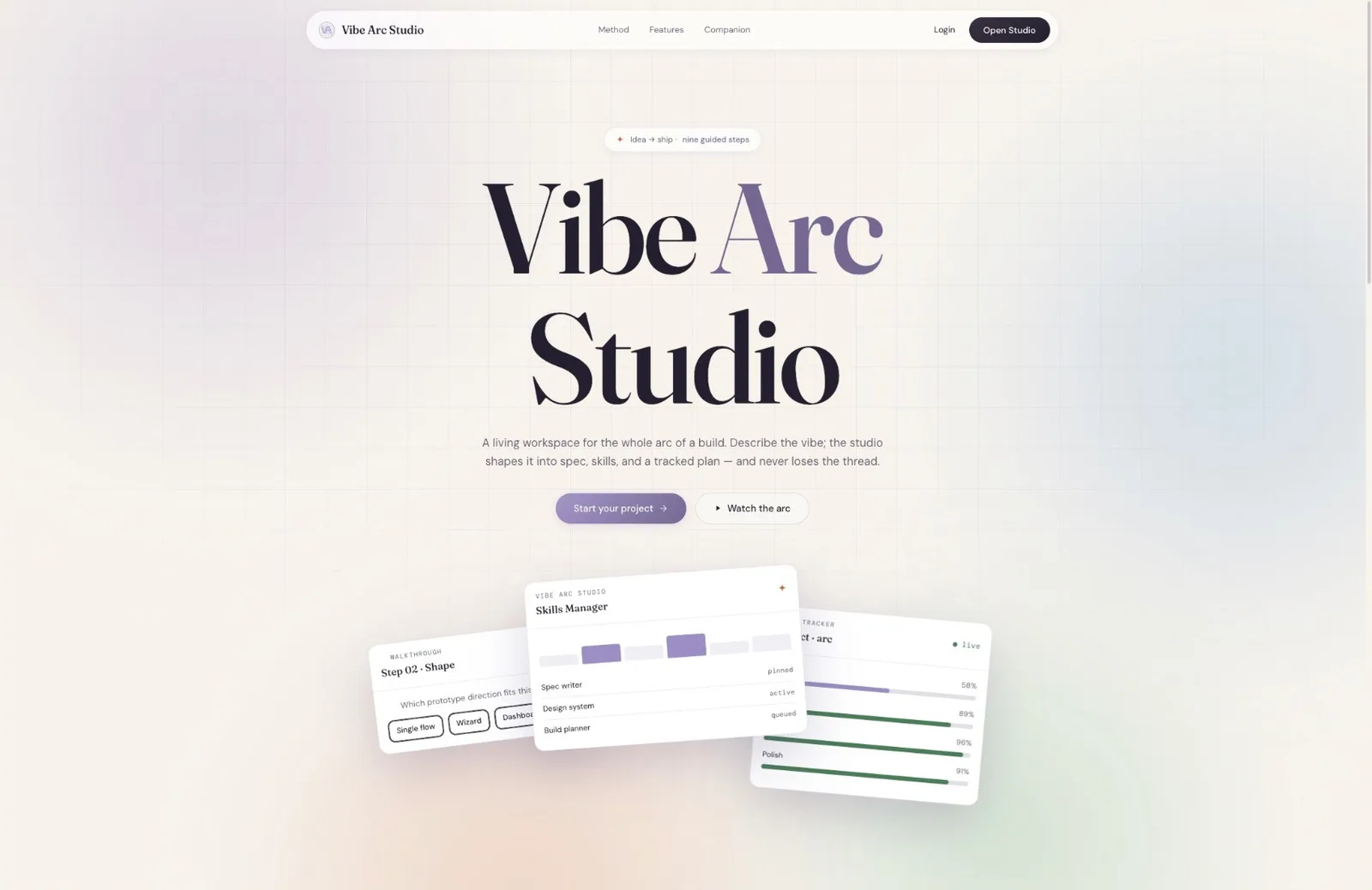
AI adoption & implementation · Israel

AI tools people actually adopt.

For digital transformation, education and sports teams. We build custom AI tools, train your people to build their own, and map where AI actually pays off.

01Build · AI app development

You need the tool built.

Custom web apps and internal tools, built around how your team already works. Delivered production-ready, documented, and maintainable.

  • Production-ready
  • Documented handoff
Start a build

02Train · AI training and workshops

Your team needs the capability.

Hands-on training, workshops and lectures that take your team from AI-curious to shipping their own tools.

  • 1,000+ trained
  • Built on real work
Plan a workshop

03Adopt · AI adoption consulting

You need to know where AI belongs.

We map where AI actually saves you time and money, then build the workflow around it, so it stays in use after the launch week.

  • Workflow first
  • Stays in use
Map your workflow

Why the arc

From first idea to a tool people rely on.

A tool only counts if your team still uses it a month later.

The path from a raw idea to a tool people rely on. AI brings the speed, we bring the structure.

The method

The Vibe Arc Method

How does a Vibe Arc build workshop audit work?

Speed from AI. We stay in the loop.

Build

You always know which step you're at. The tracker shows it live.

Discovery

We understand your idea.

  1. Optimize the Promptoptimized_brief.md

    A clear brief everyone agrees on.

    You answer four short questions: who it is for, the problem it solves, what it has to do, and how it should feel. Those answers become one focused brief that everybody works from, so the build never starts on a vague idea.

  2. Elevationsprototype_choice.md

    Three elevations of the same idea. Compare side by side, pick one.

    You get three working mockups of the same product, same features, different look and feel. You compare them side by side and lock a direction before anyone commits to building it.

Blueprint

We plan exactly what to build.

  1. Blueprintmasterplan.mdimplementation.md

    Exactly what gets built, and how.

    Two planning documents. The first sets direction: who it serves, what it is worth, and how success gets measured. The second is the build guide: the data, the workflows, the technology, and the order the work happens in.

  2. Design Systemdesign.mdapp-flow.md

    The look, feel and every screen.

    The look gets locked: colours, type, and the components the interface is assembled from. The behaviour gets mapped: every screen, every path a user takes, and what happens in between.

Build prep

We set the AI up to build it right.

  1. Make AI Listenrules.md

    Your rules locked in so AI stays on track.

    A fixed set of rules for the AI: what it must always do, what it must never do, and how to decide when something is unclear. This is what keeps a long build consistent instead of drifting a little further off with every session.

  2. Source of Truthtasks.md

    One checklist that drives the build.

    Everything above gets compiled into a single ordered task list. It tells the build what to do, in what order, and which document to follow for each task. Nothing gets invented on the fly.

Build & ship

We build it, and launch.

  1. Make it Feel Realmock_data.md

    Realistic content so you can try it.

    The product gets filled with realistic content that matches your actual data, so you can use it and judge it properly instead of staring at empty screens and placeholder text.

  2. Collaborationcollab_setup.md

    Team roles and sharing, built in.

    How your team works inside the product: who sees what, who can approve what, and how feedback and comments move between people.

  3. Build & Shipdeploy_guide.md

    Technical setup, then a live product.

    The technical setup: database, sign-in, hosting and security, followed by a deployment checklist that takes the product from finished to live.

Train

You always know which step you're at. The tracker shows it live.

Prepare

We start from the work your team does today.

  1. Optimize the Prompt · Workshopoptimized_brief.md

    Each person turns a real task into a clear brief.

    Before anyone opens an AI tool, everyone picks one real task from their own job and answers four short questions about it: who it is for, the problem, what it has to do, and how it should feel.

  2. Elevations · Workshopprototype_choice.md

    Three elevations of the same idea. Compare side by side, pick one.

    Each person generates three versions of their tool and picks a direction, so they learn to judge AI output instead of accepting the first draft.

Plan

Everyone plans before they prompt.

  1. Blueprint · Workshopmasterplan.md

    A plan the AI can follow.

    The same planning document we use on client builds, written by each person for their own tool: what it does, for whom, and in what order it gets built.

  2. Make AI Listen · Workshoprules.md

    Rules that keep the AI on track.

    A short set of rules for the AI: what it must always do, what it must never do. This is the habit that keeps a build from drifting once people work on their own.

Build

Everyone leaves with a working tool.

  1. Source of Truth · Workshoptasks.md

    One task list that drives the build.

    Everything above becomes one ordered task list, and each person builds from it live in the room.

  2. Build & Ship · 1:1 meetingsyour tool or agent

    A working AI tool or agent, in use.

    Follow-up 1:1 meetings take each tool from the workshop version to something people use in their daily work, with the method documents to keep improving it.

Adopt

You always know which step you're at. The tracker shows it live.

Audit

We look at how the work gets done today.

  1. Workflow Auditworkflow_audit.md

    Where the hours go, task by task.

    We sit with the people who do the work and map each recurring task: who does it, how long it takes, and where it gets stuck. It starts from the work, not from a tool.

Map

We find where AI actually belongs.

  1. Adoption Mapadoption_map.md

    Where AI saves time and money, and where it doesn't.

    Every task gets a verdict: a custom tool, a workflow change, training, or no AI at all, with the time and money each one is likely to save.

Recommend

You get a clear next step.

  1. Recommended Tracksrecommended_tracks.md

    Build, Train, or both, in priority order.

    A short, ranked plan: what to build first, who to train, and what to leave alone. If AI isn't the answer, the plan says so.

Every step creates documentation

What you get

What do you get along the way?

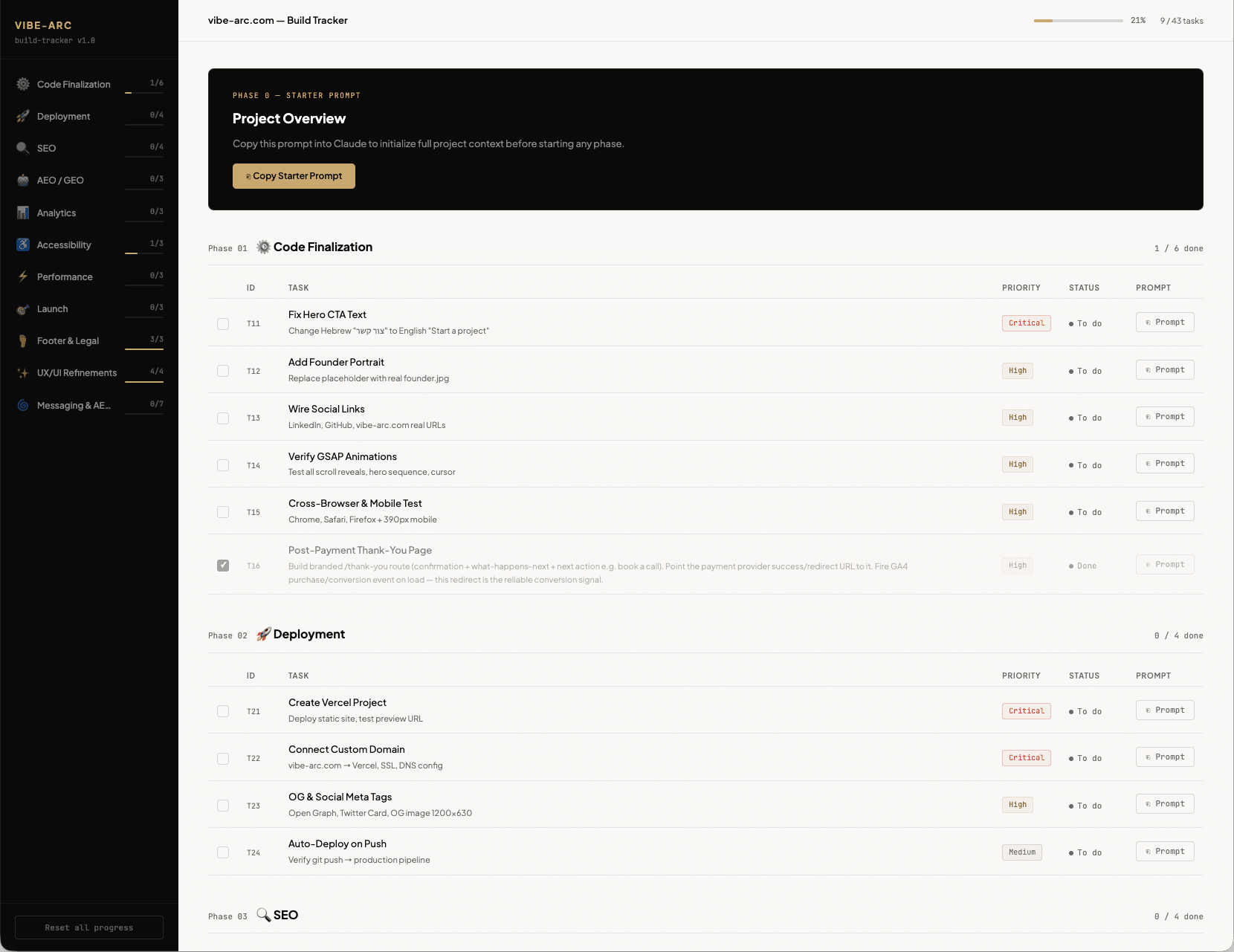
You can inspect the work before you inspect the code.

The Vibe Arc build tracker: phases, tasks with priority and status, and a copyable prompt for each task
Fig. 1 · vibe-arc.com · build trackerThe real tracker for this site

Clients

What it was like to build and learn with us

In their words.

As a business owner, everyone knows the importance of having a website. Working with Nimrod is pure joy. From his level of care to every detail, to his professionalism and wisdom, and his flexibility, I cannot recommend him enough! Nimrod makes everything so simple and easy.
Rachel B.Facial Reflexologist and Instructor · Sanadora (opens in a new tab)
Nimrod is a super professional and knowledgeable person. He created a totally new website for me that I'm happy with.
Eliran AlfasiCEO · AromaPet (opens in a new tab)
Excellent service. I used their automation services to save time in my business, and they built a system that nurtures the customer and saves me a lot of time. Highly recommended for any business!
Nadav UngerE-commerce & Marketing Specialist · Shhakim (opens in a new tab)
I highly recommend Nimrod - he's an absolute pro! The entire process was smooth and pleasant from start to finish. He understood exactly what I wanted and managed to turn my vision into reality in a way that exceeded all my expectations. The website works perfectly, looks professional, and is tailored precisely to my client's needs.
Shelly MamistvaloveCEO · LYCHEE Digital
Nimrod was very pleasant and great to work with. He has great technical skills and an awesome attitude. I highly recommend Nimrod and I believe he'll do great work wherever he is.
Dan KotlickiCEO · Toonimo (opens in a new tab)
The most professional and helpful! Gave me detailed guidance with great patience and gave full value, always available for questions. In short, I really recommend :)
Dana GershonProduct Leader · Dana Gershon (opens in a new tab)
Thank you so much, Nimrod, for the vast knowledge you shared with me with such professionalism and kindness. In just one hour, you managed to explain things to me simply, after I had been trying to learn on my own for weeks! Your training skills are outstanding!
Sivan SiksikProduct Lead · Bizkit
Thank you for the fast and quality service 🙏 Of course we will contact you again in the future.
Sharon SilberfadenCEO · Kukuska studio (opens in a new tab)
I had the opportunity to work with Nimrod on two projects. Nimrod is professional, knows how to solve any problem, is available and fast. Highly recommend!
Ronny AsrafUX designer · Ronny Asraf design (opens in a new tab)
Nimrod gave me excellent training on working with Claude, in a clear, practical way tailored to my needs. Before the training, I knew the tool only partially and didn’t always know how to use it properly. During the sessions, I learned how to write prompts, manage a workflow, and decide when and how it’s right to use AI. Thank you, Nimrod, especially for lowering the FOMO level. (-:)
Galit Ben-ShitritCISO · Central Bottling Company group ltd (CocaCola) (opens in a new tab)
Nimrod helped me bring my website to life after I had been stuck on several issues for a long time. Thanks to him, the website launched exactly as I had envisioned. I highly recommend Nimrod and am confident I’ll work with him again.
Sigal Gurfinkel SimsoloArchitect · SIS. Interior Design (opens in a new tab)

Questions

Straight answers first, the detail after

What do people ask before they start?

Ask us yours
What is Vibe Arc?

Vibe Arc is an AI adoption and implementation studio in Israel, working with digital transformation, education and sports teams across Tel Aviv and central Israel and remotely worldwide. It builds custom AI tools and internal software, and trains teams to build with AI themselves. It is run by Nimrod Bahar.

What does Vibe Arc build?

Vibe Arc builds web applications, internal tools, and digital products using structured AI-assisted development. Projects include SaaS tools, management systems, and business applications with full delivery from concept to deployment.

Do you offer training as well as building software?

Yes, both, and they are separate engagements. Businesses hire Vibe Arc to build custom AI tools for them. Organizations hire Vibe Arc to train their own teams to build with AI. The training draws on the same method used on real client builds, not on slides.

What is AI adoption consulting?

AI adoption consulting maps where AI actually saves your team time and money, then builds the workflow around it so it stays in use after launch week. It starts from the work your team does today, not from a tool, and the answer can be a custom tool, a workflow change, or training.

How does an engagement work?

Every build runs through the same nine-step method, grouped into four stages: discovery, blueprint, build preparation, then build and ship. Each step produces a concrete document that the next step builds on, so what gets built is agreed before any code is written. You can see progress at any point in an interactive tracker.

How is this different from hiring a development agency?

The difference is adoption, not code. Vibe Arc comes from 15 years of enterprise implementation, where the recurring lesson was that technology adoption is 20% tool and 80% people. Software that nobody uses is a failed project regardless of how well it is built, so the work covers getting the tool used, not only getting it delivered.

Is AI-generated code production ready?

Not on its own, which is the entire reason the method exists. AI produces working code quickly, but it drifts without rules, invents structure when left unsupervised, and does not know your business. Every step in the method is a checkpoint where a human reviews what the AI produced before the next step builds on it.

What is vibe coding?

Vibe coding is AI-assisted rapid development where AI tools like Claude, Lovable, and Cursor generate code from prompts. Vibe Arc adds architectural structure to vibe coding to ensure production-grade quality.

Do I own the code you build?

Yes. When the build is done, the app is fully transferred into your own account, so the app and its code are yours. While it's being built it may run in Vibe Arc's workspace, and you have access to it the whole time.

What happens after handover? Is there support?

The app is fully transferred to you, and there is no ongoing contract by default, so you're never locked in. You keep every document the build produced, including the deploy guide, so your team or any developer can take it from there. If you want help after launch, training for your team and ongoing support are available whenever you ask.

How much does a project cost?

Every project is priced to the job: you get a personalized proposal, built from Vibe Arc's basic tariff. Tell us what you're trying to fix through the form on this page, and you get a personal reply.

Who you'll work with

About

Watercolor portrait of Nimrod Bahar

Hi, I'm Nimrod.

Vibe Arc pairs AI-era building with 15 years of industry experience, from first idea to a tool people rely on.

I spent 15 years helping organizations adopt new systems: enterprise implementations, ERP rollouts, digital adoption. I've trained more than a thousand professionals to use new tools with confidence. Now I build AI tools with the same rule I learned doing that: people have to actually use them.

Years driving system adoption
15
Professionals trained
1,000+

Clients include

Certifications

  • Lovable Certified Expert App Builder 2026Lovable Certified Expert App Builder 2026

Start here

Personal reply, not an automated sequence

Start with the job. We'll suggest the track.

Tell us what you're trying to fix. If it needs software, training or an adoption plan, we'll say so, and if it doesn't need AI at all, we'll say that too.

office@vibe-arc.com

What do you need?

Start here

Let's start with your goal.

Tell us what you're trying to fix. We'll reply with the track that fits, even if that means no AI at all.

What do you need?