 Vibe Arc
Case study · Client build
Every software seat, out of the spreadsheet.
BLK Architects tracked who holds which software license in spreadsheets. In two weeks they had one place that shows every seat, and warns before a product runs over.
- Client
- BLK Architects
- Role
- Product, spec and build
- Timeline
- April to June 2026, first version live in two weeks
- Built with
- Lovable, Supabase
Discovery
The problem
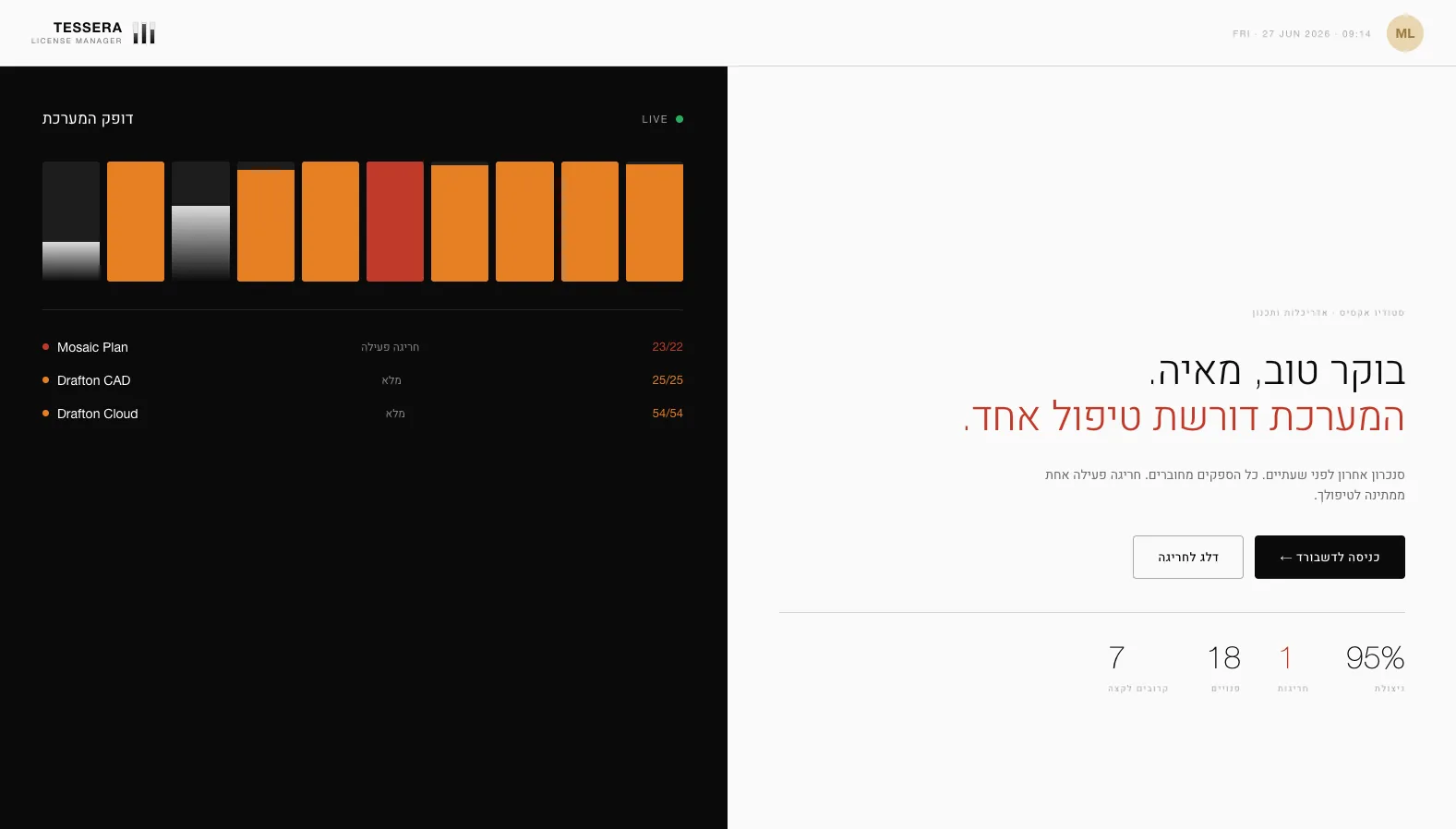
BLK Architects has more than 100 people, and most of them need several design and office licenses. The list of who held which seat lived in spreadsheets.
Nobody could see the whole picture, nobody owned the list, and the first sign that a product had run over its seats was the vendor's bill.
- Who holds what
- One owner
- Warn before overuse
Blueprint
Structure first
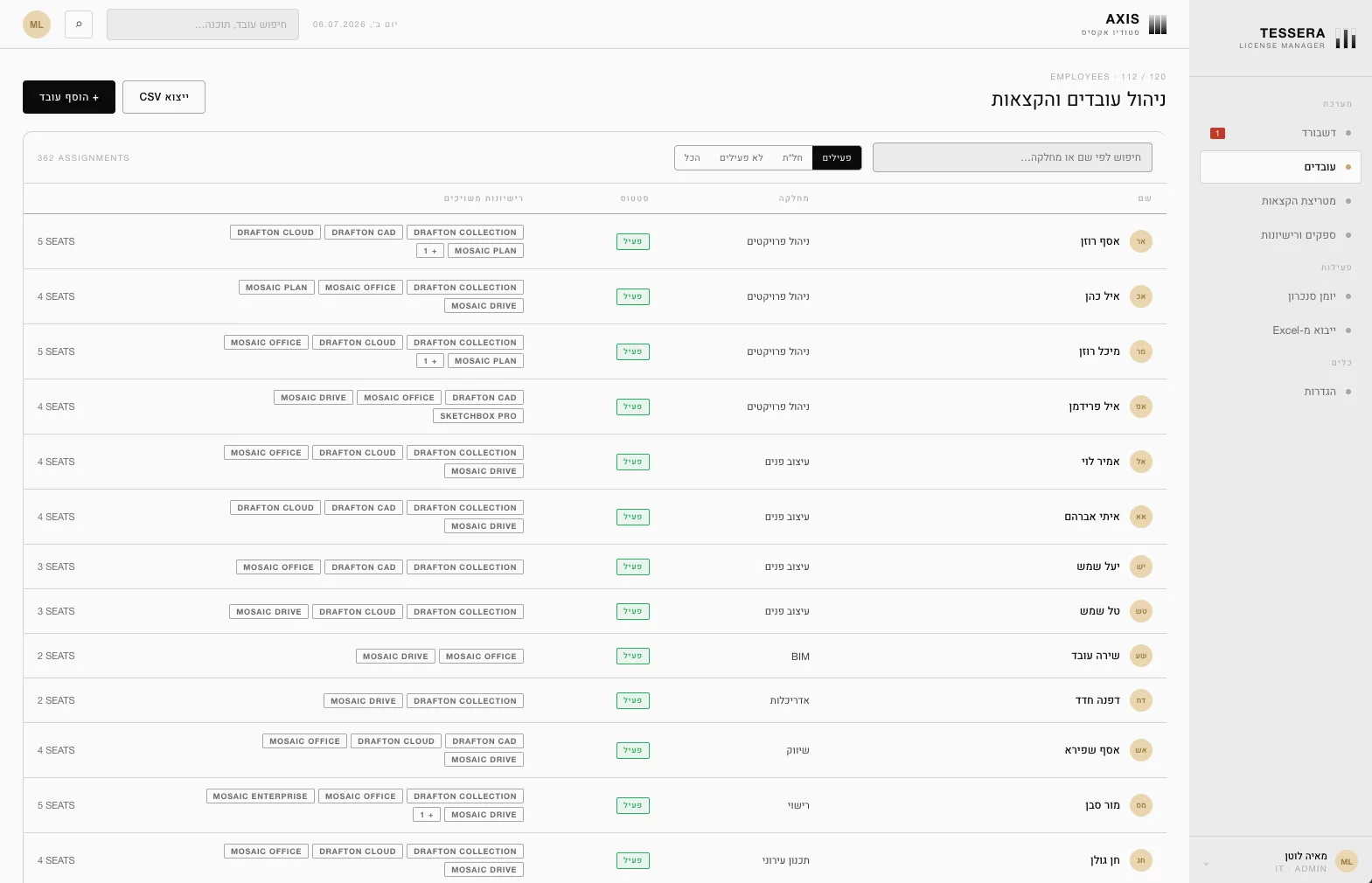
Before any screen, we agreed on the data: employees, products and the assignments between them, each with its history. A seat is never deleted, it is revoked with a date, so the record of who held what always survives.
Roles and database security were part of the plan from day one, and the interface was Hebrew and right to left from the first screen, not translated at the end.
- Data before screens
- History, never deletes
- Hebrew from day one
Build
Two weeks, then three releases
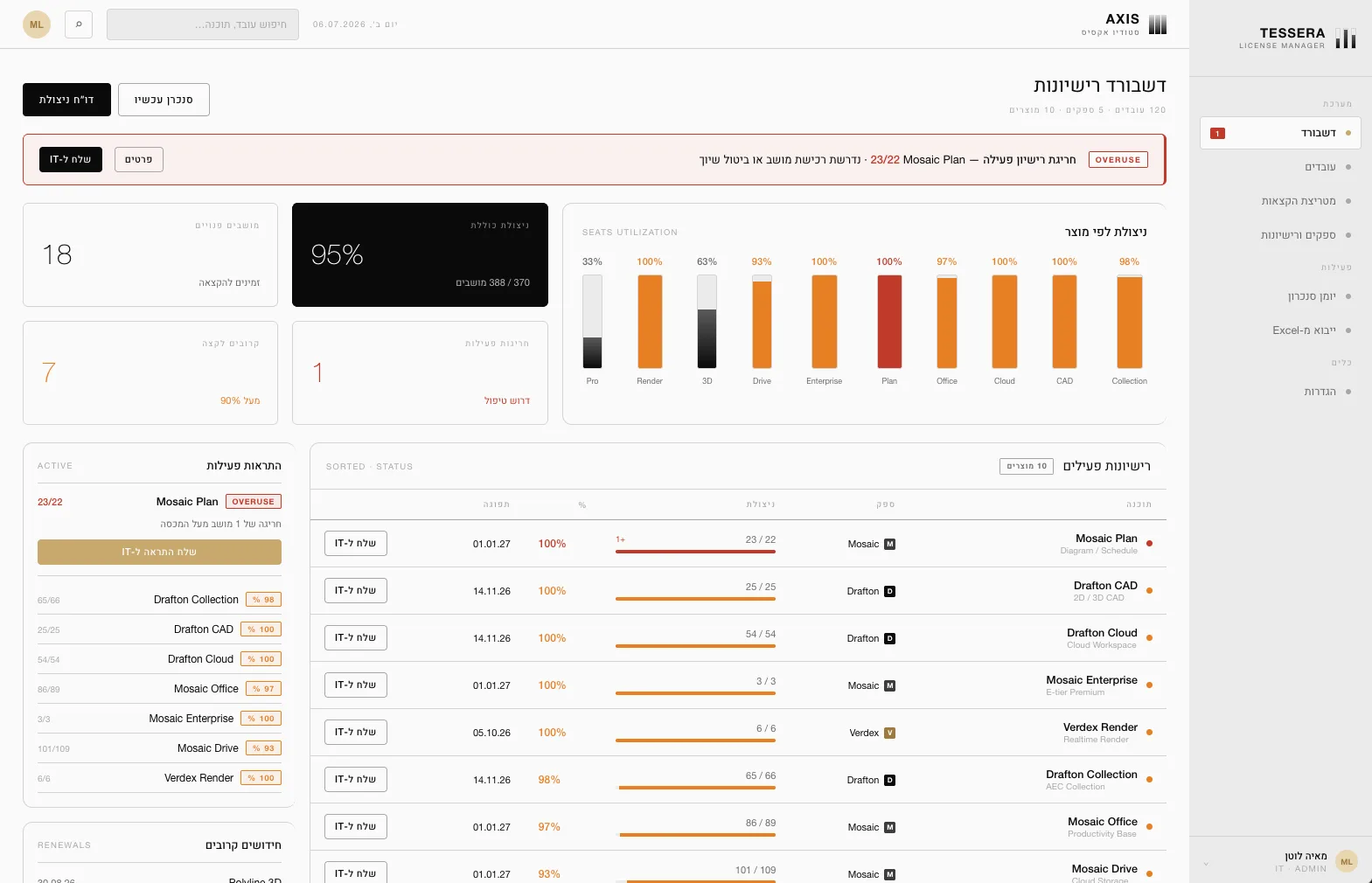
The first version went live in two weeks: a dashboard, every employee with their license history, an Excel import with a preview before anything is saved, overuse alerts with a threshold per license, a ready email to IT, and an audit log. Syncing with the vendors is manual: a sync button, and a log of every run.
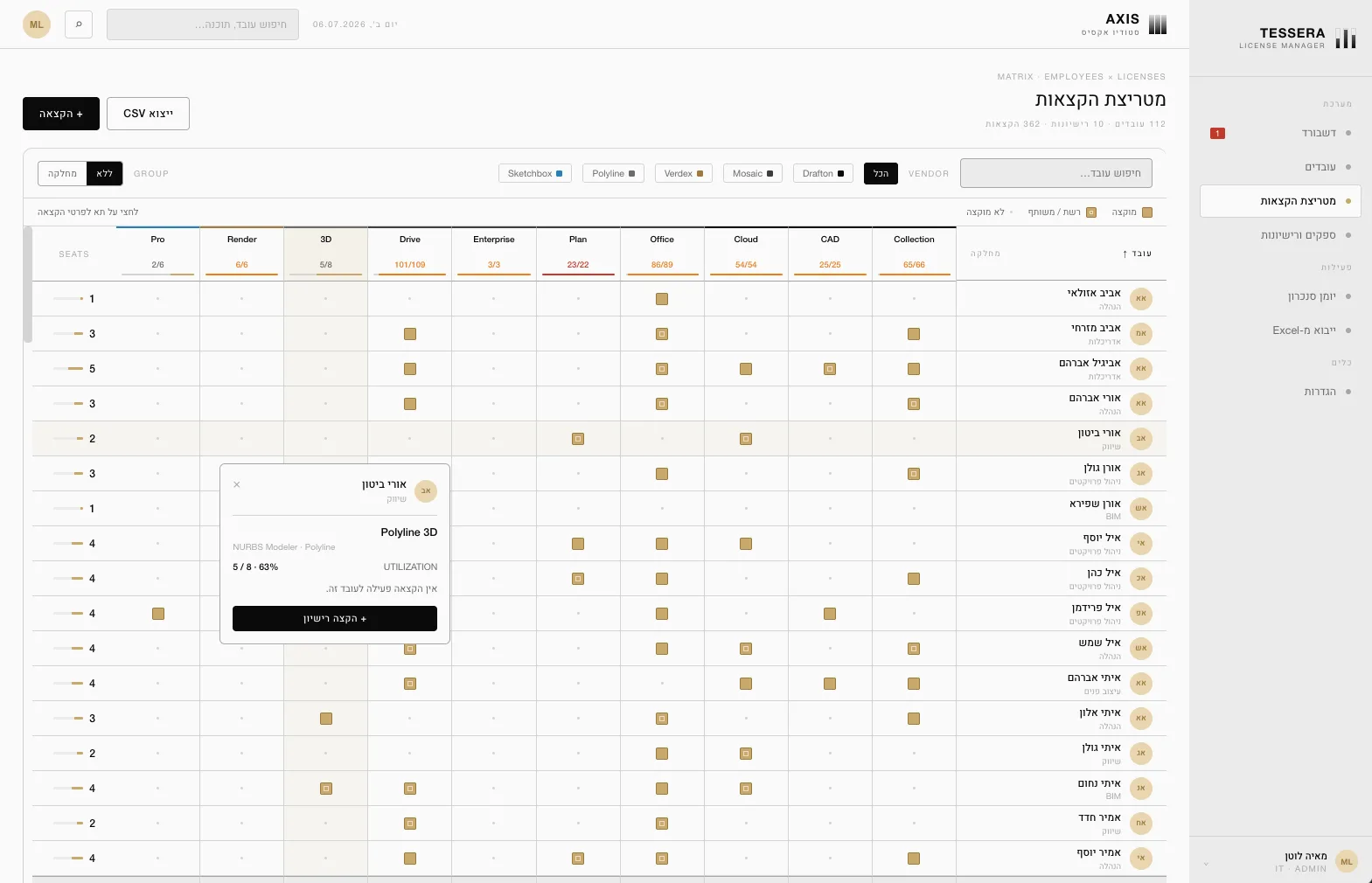
May added a matrix of every employee against every license, licenses that depend on another, tasks, and unpaid leave that holds a person's seats until they return. June added importing the usage report from the main design software vendor.
- Live in two weeks
- Matrix of people and licenses
- Overuse alerts
What broke
Three problems, and how I fixed them
Security came in rounds.
A tool that knows who in the company holds what needs more than a login. Each review found another gap, from tables any signed in user could read to an audit log that was too open.
The fix: Every table is now locked by role in the database itself, and the audit log is readable by admins only.
The vendor's report didn't use our names.
The vendor's usage file names products differently from the app, repeats the same person and product, includes usage from long ago, and spells names its own way.
The fix: People are matched by email, products through a fixed map, duplicates are removed, only the last 72 hours count, and no employee is ever created by an import. Every row it skips is listed, with the reason.
A returning employee came back with no seats.
Deactivating someone took their licenses away, so when they came back, every seat had to be assigned again by hand.
The fix: Seats are revoked with a date instead of removed, and they return when the person is reactivated.
The spreadsheet was never the real problem. Nobody owned it.
Result
Where it stands today
- 2
- weeks to the first live version
- 100+
- employees and their licenses on one screen
- 3
- releases in two months
- 658
- commits, shipped in small steps
It was handed over with a full user guide, so BLK's team runs it on their own.
It is the same method I use on my own tools: the data plan first, then the screens, then small releases on real data.
Questions
Questions about this build
Can Vibe Arc build a license manager or similar internal tool for my company?
Yes, that is the Build track. BLK Architects tracked who held which software license in spreadsheets. In two weeks, they had one tool that shows every seat and warns before a product runs over. The data plan came first, then the screens.
What does the BLK license manager do?
It shows who holds which software license, per person and per product. A matrix puts every employee against every license, and a dashboard flags any product that runs over its seats. It also prepares an email to IT, imports Excel files with a preview before saving, and records every change in an audit log.
How long did it take to build?
The first live version took about two weeks, in April 2026. It then grew in small releases through June, adding the matrix, license dependencies, tasks and the import of the vendor's usage report.
Does it sync with the software vendors automatically?
Not yet. Syncing is manual today: a sync button, and a log of every run. The vendor's usage report can be imported from a file, and people are matched by email, so no employee is ever created by an import.