 Vibe Arc
Case study · Client build
A training app teenagers open on their own.
A national youth football program needed its 13 to 15 year olds to log every gym session. The answer wasn't a reminder. It was an app worth opening, and a coach who sees every session the moment it's saved.
- Client
- A national youth football program
- Role
- Product, spec and build
- Timeline
- May to July 2026, phase 1 pilot live
- Built with
- Lovable, Supabase, Twilio, Gemini
Discovery
The real problem
Tracking training load is the easy part. The hard part is getting teenagers to log every session, unasked. A form they're told to fill gets filled badly, then not at all.
So the question changed, from what the coach needs to see to what the player gets back for logging. Every session had to pay the player back on the spot.
- Pays the player back
- Read in two seconds
- One tap to log
Blueprint
Two apps, one record
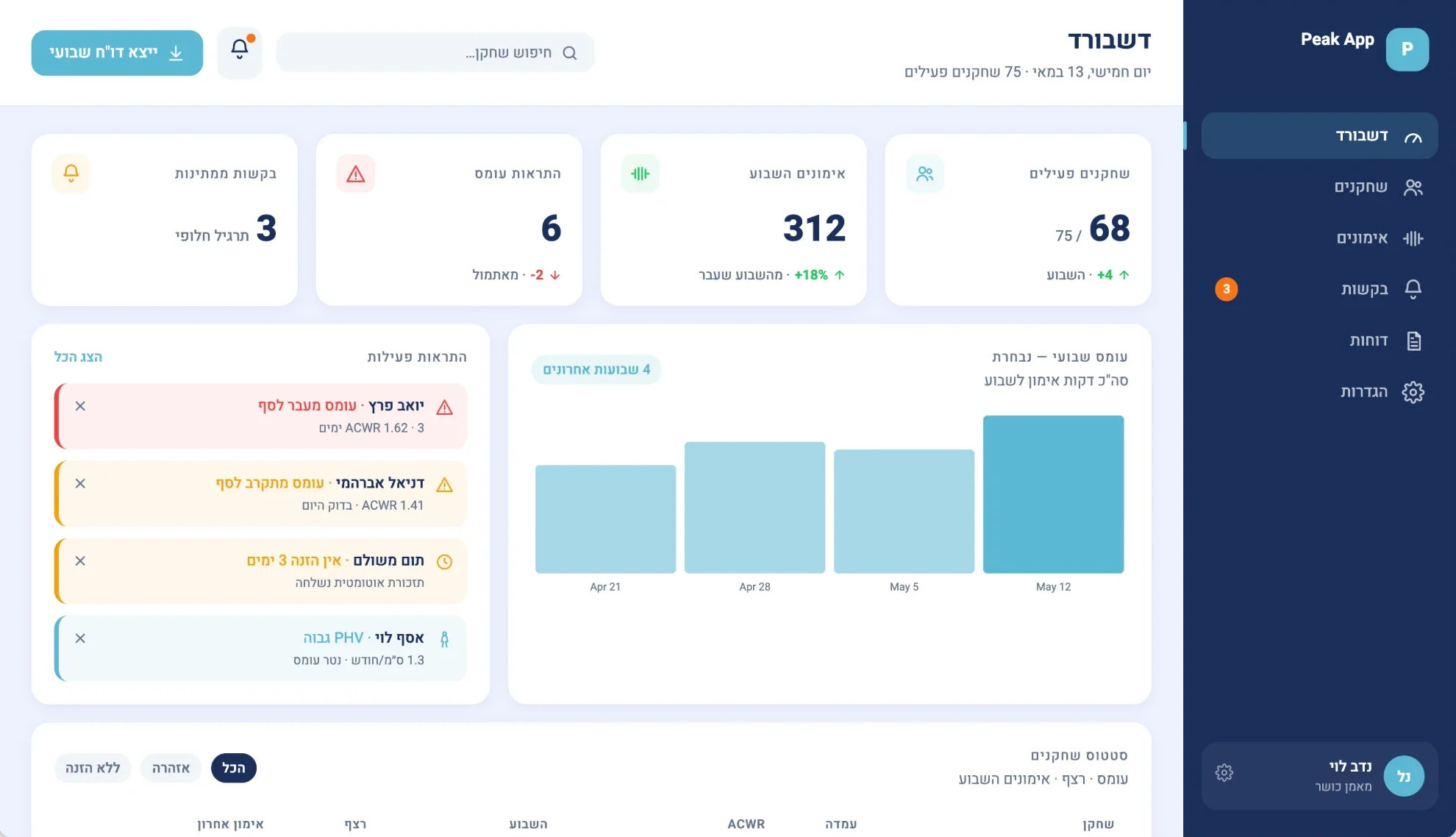
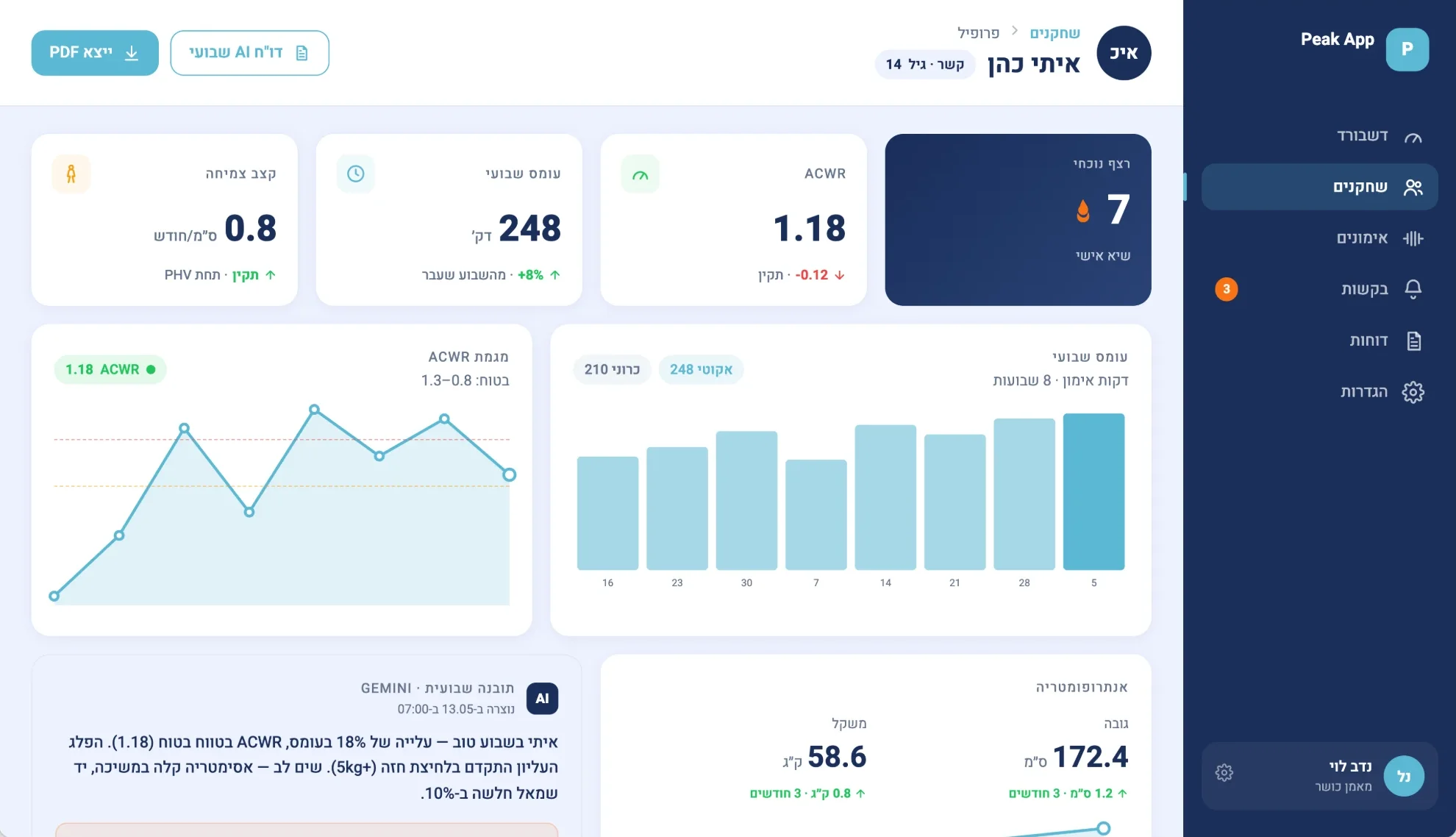
A player app and a coach dashboard over the same data. Every session is logged once, with its exercises, sets, minutes and how hard it felt (RPE), and the load ratio (ACWR) and the growth check (PHV) are calculated from that one record.
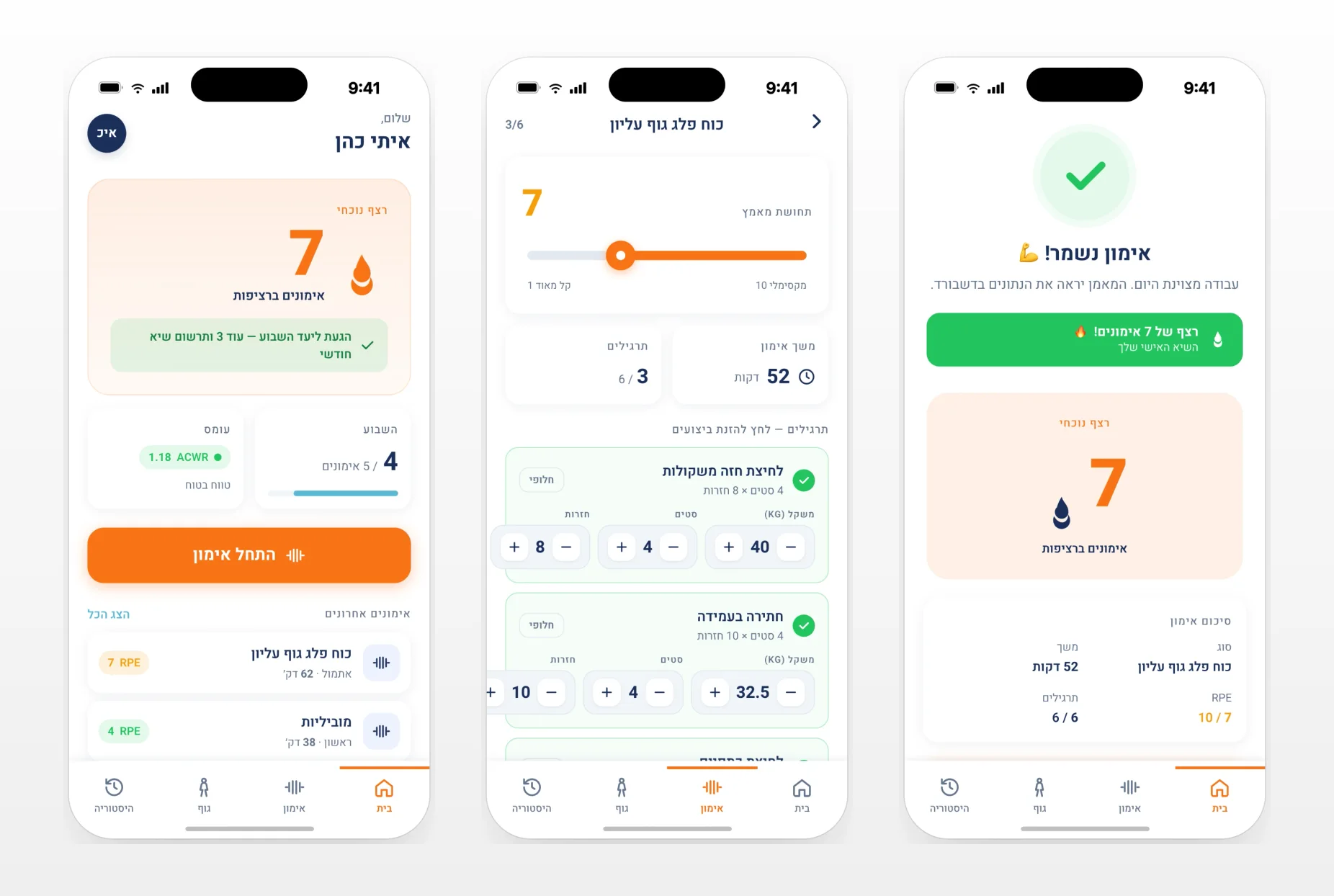
The player's side leads with what they get: the home screen opens on their streak and the week's progress, and saving a session shows the streak and says the coach sees it now. The coach's side reads load and growth from the same sessions.
Organisations, coaches and players were kept apart in the database from the first day, because the data belongs to minors.
- Log once
- Load and growth from one record
- Kept apart by club
Build
A pilot in days, then the details
The MVP took about two weeks from mid May: phone sign in by code, the player home with a streak, session entry, body stats, the coach dashboard and its alerts.
The rest came over the following weeks: weekly AI reports, a workout builder with an Excel import, exercise videos, a request to swap an exercise, and installing the app on the phone's home screen.
- Phone first
- Weekly AI report
- Built in small steps
What broke
Three problems, and how I fixed them
Security had to hold across clubs.
One app serves several organisations, and the data is about children. A security pass found gaps in creating organisations, a super admin path that skipped the checks, and functions an anonymous visitor could call. Later, an admin could invite into another club.
The fix: Every table is now scoped to its organisation in the database itself, anonymous access is revoked, and an admin sees and invites only within their own club.
Invites broke on the phone.
Players join by an invite on their phone, and both the phone invite and the sign up after it failed.
The fix: The flows were rebuilt, and a resent invite gets a new token, so an old link stops working.
Right to left turned the charts around.
The interface is Hebrew, so the page runs right to left, and the charts followed it and drew backwards.
The fix: The charts now draw left to right inside the right to left page.
Nobody was told to use it. The screen had to be worth opening.
Result
Where it stands today
- ~2
- weeks to the MVP
- 2
- apps on one record, player and coach
- 1
- AI report per player, every week
- 685
- commits, shipped in small steps
The first phase runs as a pilot, and the program is now running its own checks to decide how to take it further.
It is the same method behind every build here: one record first, then the screens, then small releases on real use.
Questions
Questions about this build
How did Peak get teenagers to log their training without reminders?
By paying them back for every session. The home screen opens on their streak and the week's progress, logging a session takes one tap, and saving it shows the streak and tells them their coach sees it now. Nobody was told to use it.
What does the coach see in Peak?
Each player's training load (ACWR), growth rate (PHV) and weekly training minutes, plus a weekly AI report per player. The dashboard flags players whose load is rising or who have not logged a session for a few days.
How long did it take to build?
About two weeks to the MVP, from mid May 2026. It then grew in small releases: weekly AI reports, a workout builder with an Excel import, exercise videos and installing the app on the phone's home screen.
How is the players' data kept apart?
Each club's data is separated in the database itself, and coaches and admins see only their own organization. The players are minors, so this was planned from the first day, not added at the end.
Can Vibe Arc build an app like this for my team?
Yes, that is the Build track. Peak App started from the question of what the player gets back for logging, and that is how every build starts: with what makes people actually use the tool.